PDF Tools
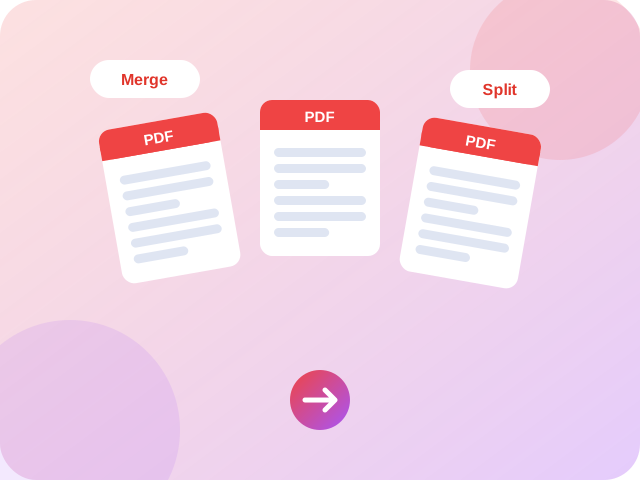
Solve your PDF problems — 12 free tools, no sign-up.
 Merge PDFCombine several PDF files into one document.
 Split PDFExtract pages or split a PDF into single pages.
 Compress PDFOptimize and shrink PDF file size without losing quality.
 PDF to ImageTurn PDF pages into downloadable images.
 Image to PDFCombine images into one PDF document.
 Resume / CV BuilderFill a form and download a clean CV as PDF.
 Invoice GeneratorCreate a professional invoice and save it as PDF.
 Rotate PDFRotate every page of a PDF by 90, 180 or 270 degrees.
 Delete PDF PagesRemove unwanted pages from a PDF.
 Reverse PDF PagesFlip the page order of a PDF, last page first.
 Add Page Numbers to PDFStamp "1 / 10" style page numbers on every page.
 PDF WatermarkAdd a diagonal text watermark to every PDF page.
About our pdf tools
Merge, split, compress, rotate and edit PDF files without uploading them anywhere. Every tool is free, private and works on phones, tablets and computers.
Looking for something else? Try Image Tools, Video & Audio, Text Tools, Calculators, Converters, Developer Tools, Everyday Tools.
Frequently Asked Questions about PDF tools
Quick answers before you start.
What free PDF tools does Supreme Pro offer?
Supreme Pro has 12 free PDF tools, including Merge PDF, Split PDF and Compress PDF. Each one opens on its own page, so you can start straight away without installing anything.
Do I need to sign up to use these PDF tools?
No. The PDF tools work without an account or sign-up. Open a tool, add your input and download or copy the result.
Are my files and data uploaded to your servers?
Most tools run inside your browser, so what you add stays on your own device. Each tool page explains how it works, and our privacy policy has the details.
Do the PDF tools work on phones and tablets?
Yes. They are built for current versions of Chrome, Edge, Firefox and Safari on Android, iOS, Windows and macOS. Very large files can be slow on older phones.
How do I find the right tool quickly?
Use the filter box at the top of this page, the search button in the header, or the menus at the top of every page. Related tools are also listed at the bottom of each tool page.
Is there a limit on how often I can use them?
We do not limit how many times you use a tool. Because the work happens in your browser, the practical limit is your device's memory, so try a smaller file if a page slows down.
Can I use several PDF tools on the same file?
Yes. A common order is to merge your files first, then compress the result, and finally add page numbers or a watermark. Download after each step and add the new file to the next tool.
Why people choose Supreme Pro



