Image to 3D
Turn any photo into a rotatable 3D model with AI depth.
How to use Image to 3D
follow along with the steps below
 1
Upload a photo (or paste one, or try the sample scene). A 3D preview appears instantly.
 2
AI estimates the depth of every pixel. Adjust depth strength, detail, smoothing and edge clean-up, then drag to rotate.
 3
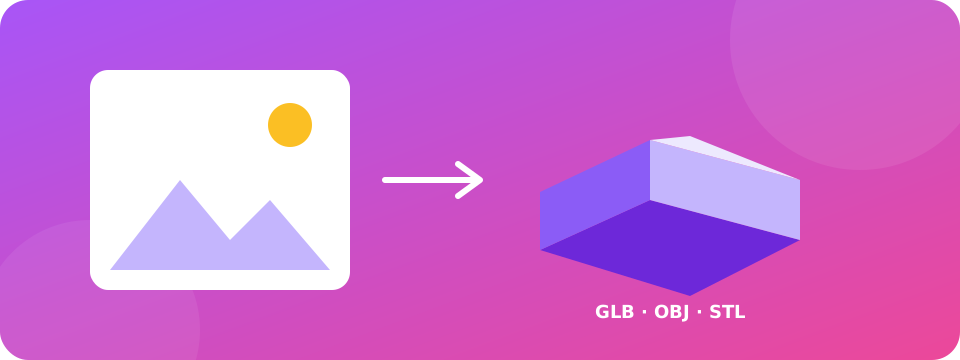
Download your model as GLB, OBJ or STL, save a depth map, or record a short 3D turntable video.


About Image to 3D
Image to 3D turns a single photo into a textured 3D relief model right in your browser. A depth-estimation AI (Depth Anything V2) predicts how far every part of the picture is from the camera, then the tool builds a 3D mesh from that depth and wraps your original photo around it. You can orbit the model, relight it, view it with red/cyan 3D glasses, and export it for Blender, game engines, AR viewers or 3D printing.
Common uses
- Make a 3D photo or a depth-effect for social media and short videos
- Create 3D-printable lithophane-style reliefs from portraits, logos and artwork
- Bring product photos, game art or concept sketches into Blender, Unity or Three.js
- Generate a depth map for parallax effects or video editing
Tips for best results
- Photos with a clear subject and good lighting give the best depth
- Increase Mesh detail for crisp edges; lower it if your device feels slow
- Use Remove stretched edges to cut the long triangles that appear around objects
- A single photo can only show one side, so the model is a relief rather than a full 360° object
Features
- Pro modes: Lithophane (dark = thick, for 3D printing), Logo / silhouette extrude, Brightness depth, Point-cloud view, Mirror-back solid, depth contrast and one-click presets
- AI depth estimation (Depth Anything V2) with an offline quick mode fallback
- Interactive 3D viewer with studio lighting, depth-map and wireframe views
- Export GLB, OBJ, STL (watertight, 3D-print ready), depth-map PNG and a 3D turntable video
- Red/cyan anaglyph and side-by-side VR box modes
- Free, no sign-up, photos never leave your device
Practical notes
This tool builds a 3D relief from one image, the way phone “3D photo” features do. It does not invent the hidden back of an object, so rotate within the front-facing range for the most natural result. The AI model downloads once (about 25–50 MB) and is then cached by your browser.
More free tools
 Image UpscalerScale images up 2x or 4x.
 Background RemoverRemove plain, solid-color backgrounds and export a transparent PNG.
 Image to PDFCombine images into one PDF document.
 Image FiltersBrightness, contrast, blur, sepia and more.
 Image ResizerResize images to exact dimensions, keep quality.
 Image CompressorCompress images without complicated software.
Frequently Asked Questions about Image to 3D
Quick answers about using Image to 3D.
What is the Image to 3D tool?
It converts a photo into a 3D model. AI predicts the depth of every pixel and the tool builds a textured 3D mesh you can rotate and download.
Which 3D formats can I download?
GLB (best for Blender, Unity, Three.js and AR), OBJ with vertex colours, and STL for 3D printing. You can also save the depth map as a PNG.
Is it a full 360° 3D model?
No. A single photo only shows one side of the subject, so you get a front-facing 3D relief. It looks fully 3D within a wide viewing angle.
Is it free and private?
Yes. It is free, needs no account, and your photo is processed on your own device. Only the AI model file is downloaded from a public model host.
Why is the first run slower?
The first time, your browser downloads the depth AI model (about 25–50 MB). After that it is cached and starts much faster. If the model cannot load, the tool switches to an approximate quick mode.
Does it work on mobile?
Yes, on modern phones and tablets. A device with WebGPU gives the fastest AI depth; otherwise it uses WebAssembly, which is slower but works.
Related tools
Image UpscalerScale images up 2x or 4x.Background RemoverRemove plain, solid-color backgrounds and export a transparent PNG.Image to PDFCombine images into one PDF document.Image FiltersBrightness, contrast, blur, sepia and more.Image ResizerResize images to exact dimensions, keep quality.Image CompressorCompress images without complicated software.Why people choose Supreme Pro


